Donor value preview

Estimate the donor before the full scan.

Use the same intake language as the scan workflow, but stop at a practical parts-value range. If the donor is worth opening up, the full scan takes over.

Estimate to storefront path

Step 01Estimate the donor with vehicle details and one exterior photo.
Step 02Run the full scan when the range is worth a part-out.
Step 03Create the storefront package after the parts list is reviewed.

Estimate intake

Start with the donor basics

One exterior photo plus year, make, and model gives you a first parts-value range without publishing anything.

Vehicle lookup

Start with the car

Year, make, and model are enough to start. Add VIN or trim details if you have them.

Vehicle

Pick the fitment before the photo.

Enter VIN to auto-fill vehicle details.

Fitment details

Optional details tighten the match.

Location & mileage

Used for pricing and shipping estimates.

Vehicle photo

A front corner shot works best.

Best photo tip: a front corner exterior shot gives the estimate the clearest read on condition and visible damage.

Free / No sign-in / No credit card / Nothing publishes

Ready for the operator pass?

Turn the estimate into storefront inventory.

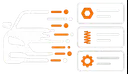
The full scan builds the listing package, subparts, pricing context, and review points for the storefront.
Create Listings for Storefront